The sync schedule in PAD offers a clear, intuitive view that allows PAD users to track the freshness and refresh schedules of all their integrated data. Here’s how to access it:
Go to cta-pad.com
Log in to your account
Select Syncs from the left-hand menu
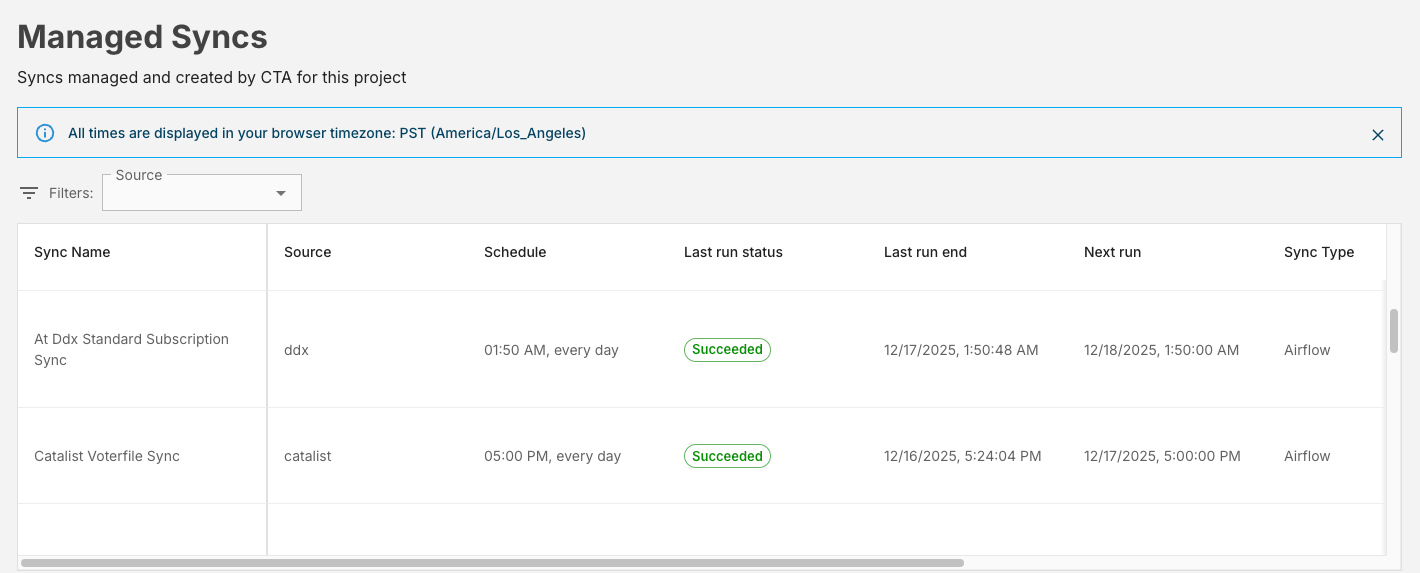
The primary function of the Sync Schedule is to provide a quick and easy way for PAD users to identify several key metrics at a glance:
Last Refresh Time: Precisely when the data was most recently synchronized.
Next Scheduled Run Time: The exact upcoming time a data sync is slated to occur.
Run Frequency: The recurring interval (e.g., daily, hourly, weekly) at which the data is refreshed.
If you have any questions or feedback about the sync schedule, please reach out to help@techallies.org.
Was this article helpful?
That’s Great!
Thank you for your feedback
Sorry! We couldn't be helpful
Thank you for your feedback
Feedback sent
We appreciate your effort and will try to fix the article